Text Templates
The calculator generates documentation text from customizable templates. This page is a complete reference for the template system - variable syntax, available perspectives, section structure, German gender-inclusive language, and customization options.
For Research Use Only
Generated text is intended for research and educational purposes. It is not validated for clinical use and must be independently reviewed and verified by qualified professionals before use in any clinical or patient-facing context.
Template System Overview
Templates are structured text documents with {{variable}} placeholders that are replaced with your calculation results. The calculator includes pre-built templates in German and English, each available in three perspectives. You can customize templates through the settings dialog.
Variable Reference
All template variables use double curly brace syntax: {{variableName}}. The calculator substitutes each placeholder with the corresponding value from your calculation. Optional variables (such as {{pmid}} and {{populationName}}) are replaced with an empty string when no value is available.
| Variable | Category | Example Value | Description |
|---|---|---|---|
{{gene}} | Gene | CFTR | Gene symbol |
{{carrierFrequency}} | Frequency | 4.0% | Carrier frequency as percentage |
{{carrierFrequencyRatio}} | Frequency | 1:25 | Carrier frequency as ratio (1 in N) |
{{recurrenceRiskPercent}} | Risk | 0.25% | Recurrence risk as percentage |
{{recurrenceRiskRatio}} | Risk | 1:400 | Recurrence risk as ratio (1 in N) |
{{source}} | Context | gnomAD v4.1.0 | Data source attribution |
{{indexStatus}} | Context | heterozygous | Index patient status label |
{{statusIntro}} | Context | A homozygous pathogenic... | Status-specific introductory sentence |
{{populationName}} | Context | European (non-Finnish) | Population name (empty if global) |
{{pmid}} | Context | 12345678 | PubMed ID (optional, for literature source) |
{{accessDate}} | Context | January 19, 2026 | Formatted data access date |
{{genderSuffix}} | Formatting | *innen | German gender-inclusive suffix |
{{patientNominative}} | Formatting | der Patient | German nominative form |
{{patientGenitive}} | Formatting | des Patienten | German genitive form |
{{patientDative}} | Formatting | dem Patienten | German dative form |
Using Variables in Custom Templates
Variables use double curly brace syntax. If a variable has no value (for example, the PMID variable when no PubMed ID is provided, or the population name variable when using global results), the placeholder is replaced with an empty string. Write your template sentences to read naturally even when optional variables are absent.
Perspectives
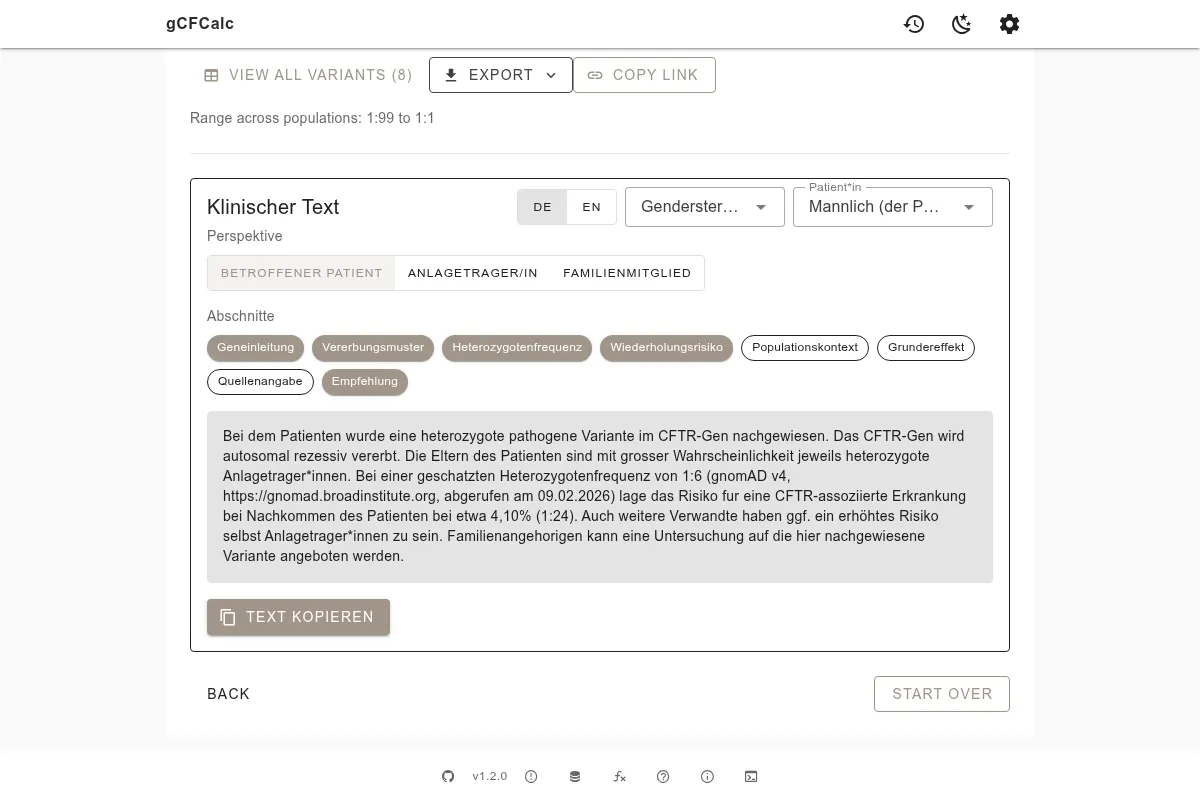
The template system includes three perspectives, each generating text appropriate for a different scenario.
Affected Individual (affected)
For an individual with two identified pathogenic variants. The generated text:
- Describes the inheritance pattern and the gene-disease relationship
- Notes that both parents are likely carriers
- Presents the recurrence risk based on the ÷2 formula
Healthy Carrier (carrier)
For an identified carrier who is not affected. The generated text:
- Explains what carrier status means
- Mentions the option of cascade testing
- Presents the combined risk if a second individual is also a carrier (÷4 formula)
Family Member (familyMember)
For a relative who may consider cascade testing. The generated text:
- Describes the familial variant and the gene-disease context
- States the prior probability of being a carrier based on family relationship
- Explains the option for targeted genetic testing
Template Sections
All templates are divided into eight sections that can be individually enabled or disabled in the settings dialog. The sections are the same across all three perspectives and both languages.
| Section | Purpose | Typical Content |
|---|---|---|
geneIntro | Gene and disease introduction | Gene name, associated condition, basic disease description |
inheritance | Inheritance pattern | Autosomal recessive inheritance explanation |
carrierFrequency | Carrier frequency data | Population carrier frequency with source attribution |
recurrenceRisk | Risk calculation | Recurrence risk specific to patient status |
populationContext | Population specifics | Population-specific frequency when applicable |
founderEffect | Founder effect note | Highlighted when population frequency exceeds 5x global |
sourceCitation | Data source | gnomAD version, access date, optional PubMed ID |
recommendation | Follow-up recommendation | Testing recommendations for related individuals |
Disabling a section removes it entirely from the generated text. The remaining sections flow together without gaps.
German Gender-Inclusive Language
The calculator supports four German gender-inclusive writing styles. The selected style determines the value of the genderSuffix and patient* formatting variables throughout the German template.
| Style | Example | Common Usage |
|---|---|---|
Asterisk (*) | Anlageträger*innen | Most common in Germany; widely recognized |
Colon (:) | Anlageträger:innen | Official German public service style guide |
Slash (/) | Anlageträger/-innen | Traditional alternative form |
| Traditional | Anlageträgerinnen und Anlageträger | Full feminine and masculine form |
The gender style affects German output only. English templates do not use gendered patient forms.
Customizing Templates
Adjusting Sections
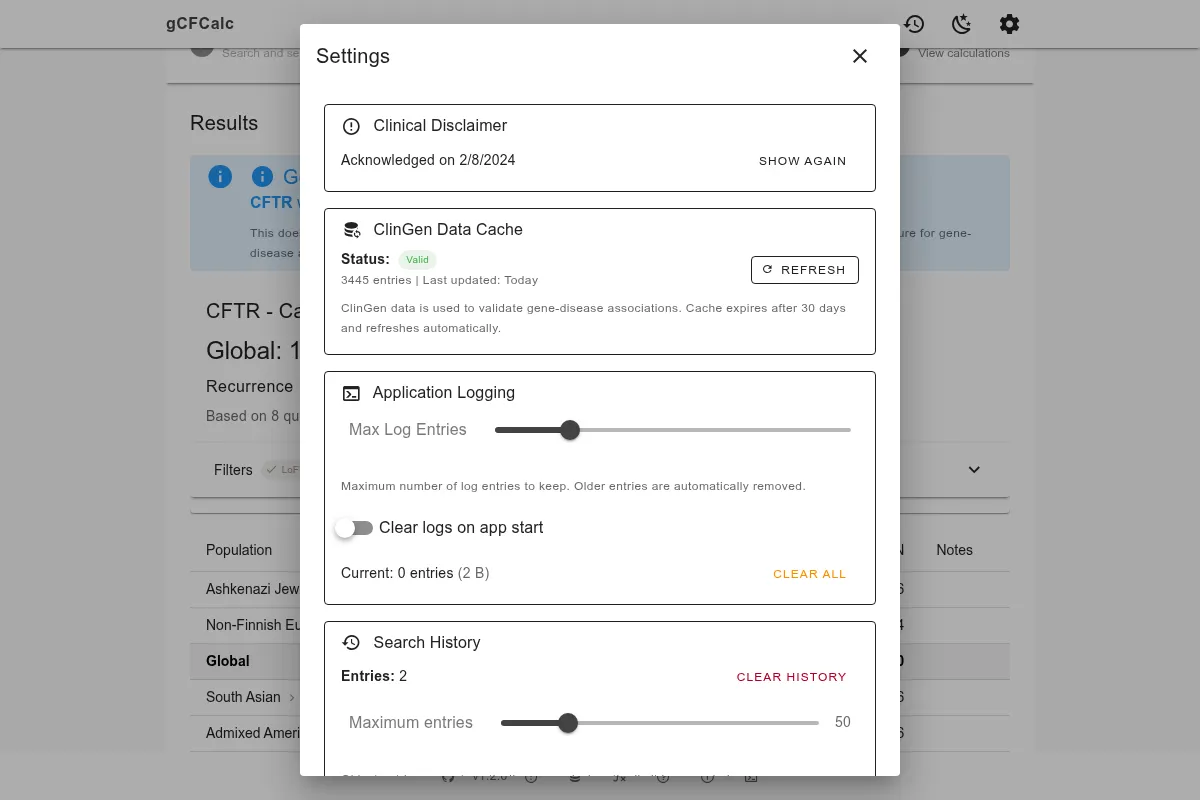
Open the settings dialog (gear icon in the top-right corner of the results view):
- Toggle individual sections on or off - disabled sections are excluded from generated text
- Edit section text directly in the template editor
- Changes are saved in your browser (localStorage) and persist across sessions
- Use the reset button to restore any section to its original default text
Writing Custom Template Text
When editing template text, follow these guidelines:
- Use
{{variable}}syntax for all dynamic values (see the variable table above) - Maintain section separation - each section handles one aspect of the text narrative
- Test with different patient statuses - the
statusIntroand risk variables change based on the selected status - Handle optional variables gracefully - the
populationNamevariable is empty for global results, so write sentences that work with or without it - Keep the section's purpose in mind - each section name describes its role (
geneIntro,recurrenceRisk, etc.)
See Text Generation for a step-by-step text generation example using HFE and the carrier perspective. See Getting Started for an overview of the results and text generation step. See Filters for how variants are selected before text generation.